
This is article 2 of a 4 article series.
Choosing the right aging-in-place technology feels overwhelming. Medical alerts, motion sensors, video calling, cameras, medication dispensers, and GPS trackers—which one should you buy? The answer depends on what problem you’re trying to solve.
Medical Alert Systems
What they do: You wear a pendant or wristband. Press the button during emergencies. A monitoring center answers and sends help.
Good for:
- Seniors who live alone
- Anyone with a fall risk
- Heart conditions or diabetes
- Want 24/7 emergency help
Not good for:
- Seniors who refuse to wear devices
- Very active people who don’t want visible medical devices
Popular brands: Life Alert, Medical Guardian, Bay Alarm Medical
Motion Sensors
What they do: Small sensors on walls detect movement. If no movement for 12-24 hours, you get a text alert.
Good for:
- Checking someone is active each day
- Less invasive than cameras
- Budget-conscious families
Not good for:
- Can’t see what’s wrong, only no movement
- Won’t help in fast emergencies
- Seniors who leave home frequently
Popular brands: Notion, Wyze, CarePredict, Check our products pages for other options
Video Calling Devices
What they do: Tablet or smart display for video calls. Family can call even if the senior doesn’t answer. Voice commands like “Alexa, call Sarah.”
Good for:
- Regular family check-ins
- Reducing loneliness
- Families living far away
- Easy voice commands
Not good for:
- Emergency monitoring
- Homes without good Wi-Fi
- Privacy-concerned seniors
Popular brands: GrandPad
Security Cameras
What they do: Record video inside or outside the home. Watch through the phone app. Some have two-way audio.
Good for:
- Outdoor monitoring (front door)
- Seniors who request cameras
- Checking on caregivers
Not good for:
- Bedrooms or bathrooms (privacy violation)
- First technology choice
- Seniors who haven’t given permission
Popular brands: Ring, Nest, Wyze, Arlo, Check our products pages for other options
Important: Only install with explicit permission. Many seniors feel degraded by constant monitoring.
Medication Dispensers
What they do: Hold pills in compartments. Beep at medication times. Alert family if doses are missed.
Good for:
- Multiple medications (5+ prescriptions)
- Complex schedules
- Memory issues are causing missed doses
Not good for:
- Simple routines (1-2 pills daily)
- Budget-conscious families
- Those who use pill organizers successfully
Popular brands: Hero, MedMinder, Check our products pages for other options
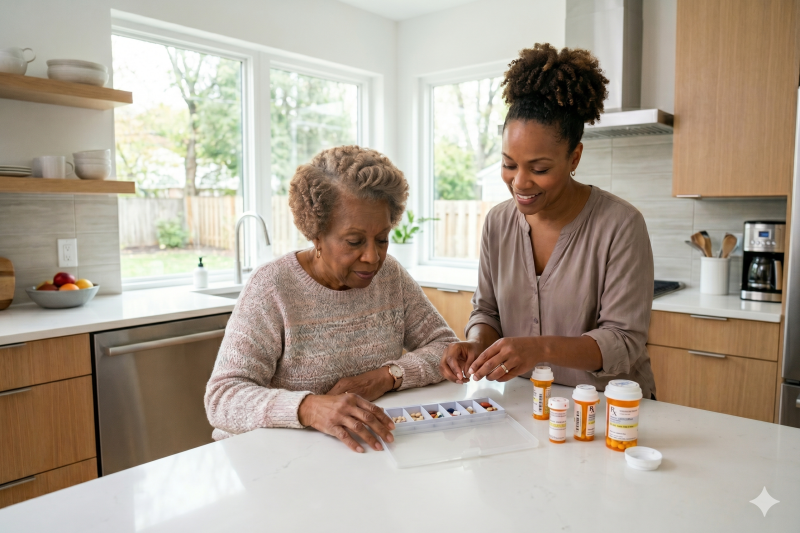
Money-saving tip: Try a $10 pill organizer with phone alarms first. Only upgrade if that fails.
GPS Trackers
What they do: Worn as a watch, pendant, or shoe insert. Shows location on the map. Alerts when a person leaves the safe zone.
Good for:
- Dementia patients who wander
- History of getting lost
- Early-to-mid stage cognitive decline
Not good for:
- General safety (use motion sensors)
- Late-stage dementia (often removed)
- Seniors without wandering risk
Popular brands: AngelSense, Life360 Tile, Apple AirTag, Check our products pages for other options
How to Choose
Step 1: Identify your biggest worry: What keeps you up at night? Falls? Loneliness? Medication errors? Wandering?
Step 2: Match device to worry:
- Falls → Medical alert
- Daily wellness → Motion sensors
- Loneliness → Video calling
- Medications → Start with pill organizer
- Wandering → GPS tracker
Step 3: Start with the least invasive: Choose the simplest option first. You can always add more.
Step 4: Buy one and test it: Use it for 30 days. Does it help? Only then consider adding another.
Frequently Asked Questions
What’s the easiest device for seniors? Medical alert pendants (one button) or Echo Show for video calls (voice commands). Avoid anything with apps or passwords.
Should I buy a package deal? No. Packages include items you don’t need. Start with one device.
Can one device do everything? No. Each device has one main purpose. Choose devices for specific needs, not one magic solution.
Do I need professional installation? Most devices plug in and connect to Wi-Fi yourself. Smart locks and hardwired systems need professional help ($100-$300).
Remember: start simple, start small, and only add more if the first device helps.
Article series
Before your family member loses the ability to communicate, have them document their wishes about technology use—especially monitoring devices in their home. Record their preferences for both current and future scenarios.
- Tech fatigue – why simple aging in place technology works best
- Which aging in place technology could work for your family