
Location sharing technology helps people live independently while giving family or caregivers peace of mind. It allows trusted people to see where someone is when it matters most, such as during travel, outdoor activities, or longer outings. For many people aging in place, location sharing is less about emergencies and more about reassurance, confidence, and staying connected without constant check-ins. People often choose location sharing because it:
- Reduces worry for family without requiring frequent calls or texts
- Supports independence while adding a quiet layer of safety
- Makes it easier to find help if plans change or something goes wrong
Used intentionally, location sharing is not about being watched. It is about creating a safety net that can be turned on when needed and turned off when it is not.
What Is Location Sharing?
Location sharing means a phone, wearable, or small tracking device can show its location on a map. The person using it stays in control and decides:
- Who can see their location
- When location sharing is active
- How long sharing lasts
Most tools rely on a mix of GPS, Wi-Fi, cell towers, and Bluetooth to work accurately both indoors and outdoors.
Why Location Sharing Helps With Aging in Place
For people aging at home, location sharing offers reassurance without being intrusive. It can:
- Confirm that someone arrived safely
- Reduce worry for family members who live far away
- Support independence for people who still drive, walk, hike, or use public transportation
- Help locate lost items, such as keys or bags, that disrupt daily routines
When used thoughtfully, location sharing adds safety without cameras or constant monitoring. It works best as a backup tool, available when needed rather than always on.
How I Use Location Sharing
I use location sharing when I go somewhere remote or less predictable, such as:
- Nature hikes
- Driving in unknown areas (I might get lost)
- Driving in bad weather
Others use location sharing so family members know how long it will be until they arrive. Some families use it when a person has memory changes and may leave home without notice.
Before I go, I turn on location sharing so my family can see where I am if something happens. When I turn it on, a notification is sent to my family. They do not need to call or check in—I know they can find me if needed. Once I am safely home, I turn location sharing off. This approach:
- Respects my independence
- Reduces unnecessary worry
- Keeps location sharing purposeful and temporary
This same approach works well for aging in place, especially for people who are active and still enjoy being out on their own.

Common Location Sharing Tools
Smartphone apps are often the easiest place to start.
Google Maps location sharing allows you to:
- Share your real-time location with specific people
- Set a time limit, such as one hour or the rest of the day
- Let family see whether you are moving, stopped, or back home
- Easily turn sharing on before leaving and off when you return
Many people already use Google Maps, which lowers the learning curve. How to location share with Google.
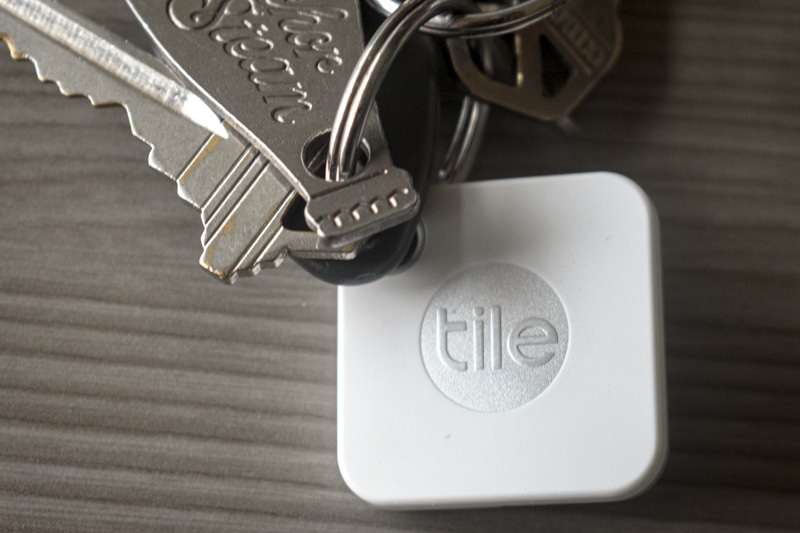
Bluetooth trackers focus on items rather than people.
- Attach to keys, wallets, bags, or mobility aids
- Help you find items by making them ring
- Show the last place an item was seen if it is out of range
For aging in place, this can prevent small problems—like lost keys—from becoming bigger safety or access issues.
Wearables combine location sharing with other features. Some wearables have built-in GPS trackers, while others the connected smartphone app. Read product descriptions to see how GPS is used with the wearable.
The Apple Watch:
- Shares location with trusted contacts
- Includes emergency calling
- Is useful for walking, hiking, or living alone
Fitbit and similar devices:
- Track walks and outdoor activity
- Share location during exercise on some models
- Support health goals alongside light safety features
Wearables are helpful because they stay on your body, even if you forget your phone.
Vehicle-based GPS tracking focuses on the car rather than the person. Options such as Bouncie:
- Show where a vehicle is
- Help family understand delays or missed check-ins
- Avoid the need for wearables or phones
Life360 is a family location-sharing app that shows real-time location on a shared map. It is designed for ongoing, automatic sharing, rather than short-term or one-time use, and works through private family groups.
For aging in place, Life360 can be helpful when consistent location visibility is needed, such as when someone may forget to turn sharing on or off. Because sharing is continuous, it is best used when privacy expectations and boundaries are clearly agreed on in advance.
Early Planning vs. Later Needs
Early planning and later-stage needs often call for different approaches.
Early on, location sharing is usually selective. It is turned on for specific situations—such as travel, appointments, or outdoor activities—and turned off once someone is safely home. This:
- Supports independence
- Builds comfort with the technology
- Reinforces that sharing is optional and purposeful
As needs change, location sharing may become more consistent rather than situational. This can help when someone:
- Has memory changes
- Occasionally becomes disoriented
- May forget to turn sharing on or off
The difference is intent:
- Early use focuses on choice and convenience
- Later use focuses on safety and continuity of care
Revisiting boundaries over time helps keep location sharing supportive rather than restrictive.
Privacy Matters—Especially for Independence
Good location sharing tools keep control in the hands of the person using them. They allow:
- Temporary sharing rather than constant tracking
- Access limited to specific, chosen contacts
- Location sharing to be turned off instantly
For aging in place, privacy is closely tied to dignity. The goal is to:
- Share location only with trusted people
- Share only when it adds real value
- Avoid “always on” tracking unless it is truly needed
When done well, location sharing supports confidence, not dependence.
Choosing the Right Approach
The best location sharing setup depends on:
- How much control the person wants
- How automatic the system needs to be
- Whether a phone is reliably used
Many people start with phone-based sharing and add dedicated devices only if needs change. When location sharing is matched to the person and used with clear boundaries, it becomes a practical, respectful way to support aging in place while preserving independence.
Caregiver Resources
- Download our Caregiver Conversation Guide: Location Sharing
Find more resources on our resources & tools pages.
Products mentioned in article
We choose products that support safe living at home. Many are items we use ourselves. Consider your needs before purchasing. Links go to Amazon for convenience. We may earn a small commission at no extra cost to you. This supports our free articles, tools, and research.
Find more items on our product pages.

Apple Watch SE 3

Fitbit Inspire 3

Tile Bluetooth Item Locator

Tile Wallet Finder, Bluetooth Tracker

Apple Key Finder and Locator

You must be logged in to post a comment.